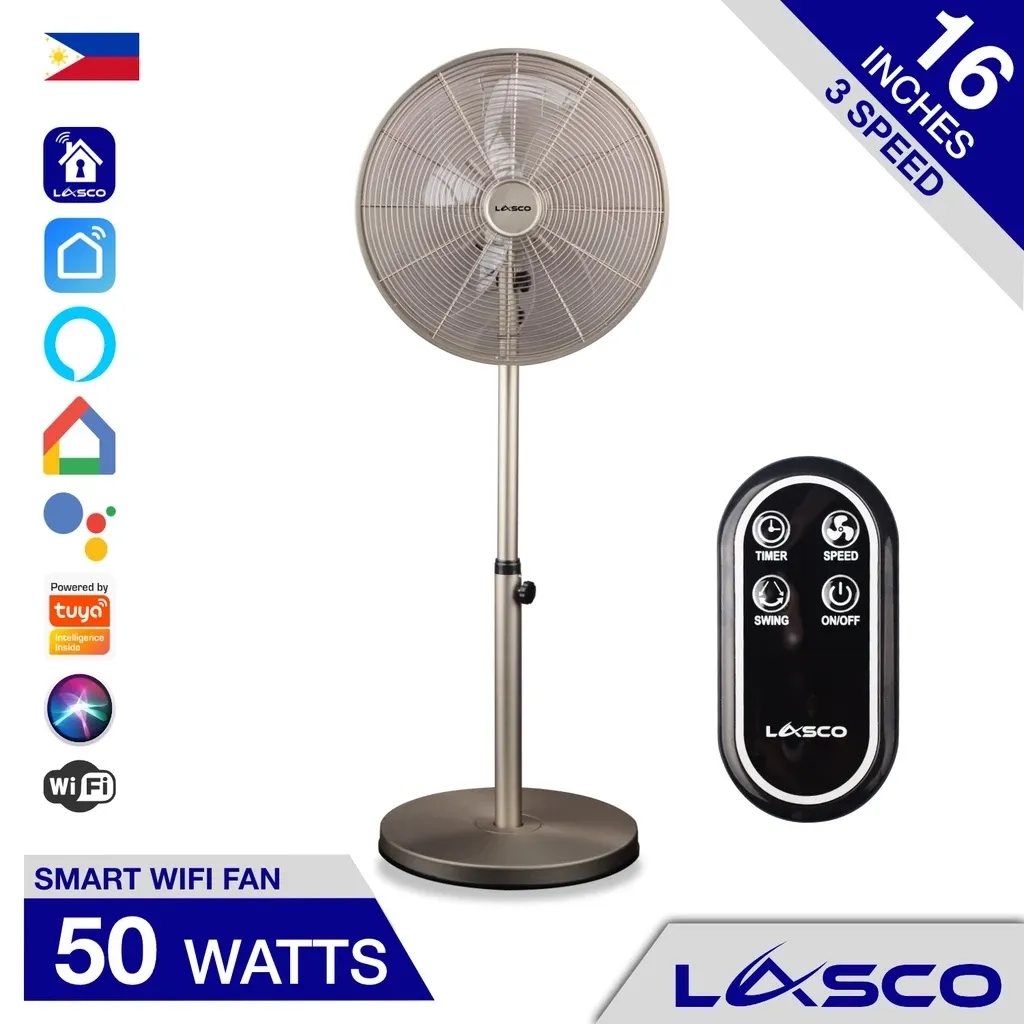
Lasco Smart Wifi Stand Floor Pedestal Electric Fan
₱5,300as of Aug 27, 2026
COD · Shopee-protected payment

How we reviewed this: we read the Shopee PH listing, checked the listed specs, and went through 64 owner ratings.
Lasco Smart Wifi Stand Floor Pedestal Electric FanA 50W stainless-steel pedestal fan with 120-degree oscillation that works with Alexa, Google Home, and Siri Shortcuts, at around ₱5,300. The catch is a 3-month warranty, the shortest of any fan we ranked.
₱5,300as of Aug 27, 2026
COD · Shopee-protected payment
| Brand | Lasco |
|---|---|
| Type | Stand fan |
| Price | ₱5,300 (as of Aug 27, 2026) |
| Shopee owner rating | 4.9 ★ from 64 Shopee ratings |
| Shop | lascohome |
| Units sold | 167 |
Specs per Lasco Philippines product page
| Type | Stand fan |
|---|---|
| Motor type | AC |
| Wattage | 50W |
| Speeds | 3 wind speeds |
| Oscillation | 120 degrees |
| Connectivity | 2.4GHz Wi-Fi, no hub needed |
| Works with | Lasco app, Smart Life, Alexa, Google Home, Siri Shortcuts, Tuya |
| Housing | Brushed stainless steel |
| Warranty | 3-month limited warranty |
The Lasco smart WiFi stand fan is a 50W brushed stainless-steel pedestal fan with 120-degree oscillation that answers to Alexa, Google Home, and Siri Shortcuts, at around ₱5,300.
More than most, and the Apple support is the reason it is here. Lasco lists compatibility with the Lasco app, Smart Life, Amazon Alexa, Google Assistant, Google Home, Siri Shortcuts, and Tuya, with no hub required.
It runs on Tuya underneath, which is why it drops into an existing Smart Life setup alongside smart plugs and lights without any extra hardware. If your house already runs on Tuya, this fan joins it in about two minutes.
Siri Shortcuts is the differentiator. The Xiaomi fans work with Google Assistant and Alexa but not Apple, so in an iPhone household this is the fan that will actually answer you.
Setup wants a 2.4GHz network. The usual snag is a dual-band router hiding the 2.4GHz band behind one network name, which stops the phone passing the credentials over. Splitting the bands during setup fixes it.
The oscillation is the best spec on the fan. 120 degrees, against the flat 90 degrees on nearly every local fan in this roundup. In a sala where people sit in different spots, that width is a real difference, and only the Xiaomi’s 140 degrees beats it.
The housing is brushed stainless steel rather than painted plastic, which looks better and will not yellow.
The motor is a 50W AC unit with three wind speeds. That combination is the fan’s core weakness: you are paying a smart-fan price for an AC motor, so the app control comes with no efficiency gain. A 35W DC fan costs less to buy and less to run.
Lasco publishes no airflow figure, so there is no m³/min number to compare against the Asahi fans.
Around ₱5,300 as of August 27, 2026. Check the latest price on Shopee.
Running cost at 50W and eight hours a night is about 12 kWh a month, roughly ₱177 at around ₱14.78 per kWh (Meralco, August 2026). That is mid-pack, and about ₱53 a month worse than a 35W DC fan.
The warranty is where the value case gets hard. Lasco covers this for three months from delivery. Asahi, Midea, Hanabishi, and Panasonic all cover the motor for five years, and several of them sell fans for half this price. On an appliance that runs thousands of hours and whose failure mode is the motor, a 90-day window is a genuine drawback rather than a footnote.
The rating is 4.9 across 64 raters, one of the thinnest samples in our roundup, so there is not much owner history to lean on either.
Buy this if your home runs on Apple or Tuya and you want a fan that answers to Siri without a hub, and the wide 120-degree sweep suits a room where people sit apart. It is the right choice for a smart-home household that has already standardized on Smart Life. If you are choosing on running cost, published airflow, or warranty length, almost everything else in our roundup is a better buy.
If smart control matters but efficiency matters more, the Xiaomi Smart Standing Fan 2 draws 15W with 140-degree oscillation for around ₱4,000, though it works with Google and Alexa rather than Siri. If you want a long warranty and a published spec sheet at a similar price, the Asahi DC-6082 gives 35W, 54.5 m³/min, 12 speeds, and a 9-hour timer.
See how it ranks against the rest in our best stand fans in the Philippines roundup, or weigh smart features against warranty with our stand fan buying guide.
See how it compares with the other top picks in our stand fans comparison.
Lasco lists the Lasco app, Smart Life, Amazon Alexa, Google Assistant, Google Home, Siri Shortcuts, and Tuya. It runs on Tuya underneath, which is why it slots into an existing Smart Life setup without a hub. Siri Shortcuts support is unusual at this price and is the reason to pick it over a Xiaomi fan if your house runs on Apple.
No. It joins a 2.4GHz WiFi network directly. The usual snag is a dual-band router that hides the 2.4GHz band behind a single network name, which stops the phone handing the credentials over. Splitting the bands temporarily during setup solves it.
Three months, limited, from the date of delivery, covering manufacturing defects. That is the shortest cover of any fan in our roundup, against five years on the motor from Asahi, Midea, Hanabishi, and Panasonic. On a fan that runs thousands of hours, treat it as a real cost.
At 50W and eight hours a night, about 12 kWh a month, or roughly ₱177 at around ₱14.78 per kWh (Meralco, August 2026). It is an AC motor, so the smart features come without any efficiency gain over a plain fan.
Every card links to our full review.
Disclosure: Product Choicest is reader-supported. We may earn a commission when you buy through our Shopee links, at no extra cost to you. Read affiliate disclosure.