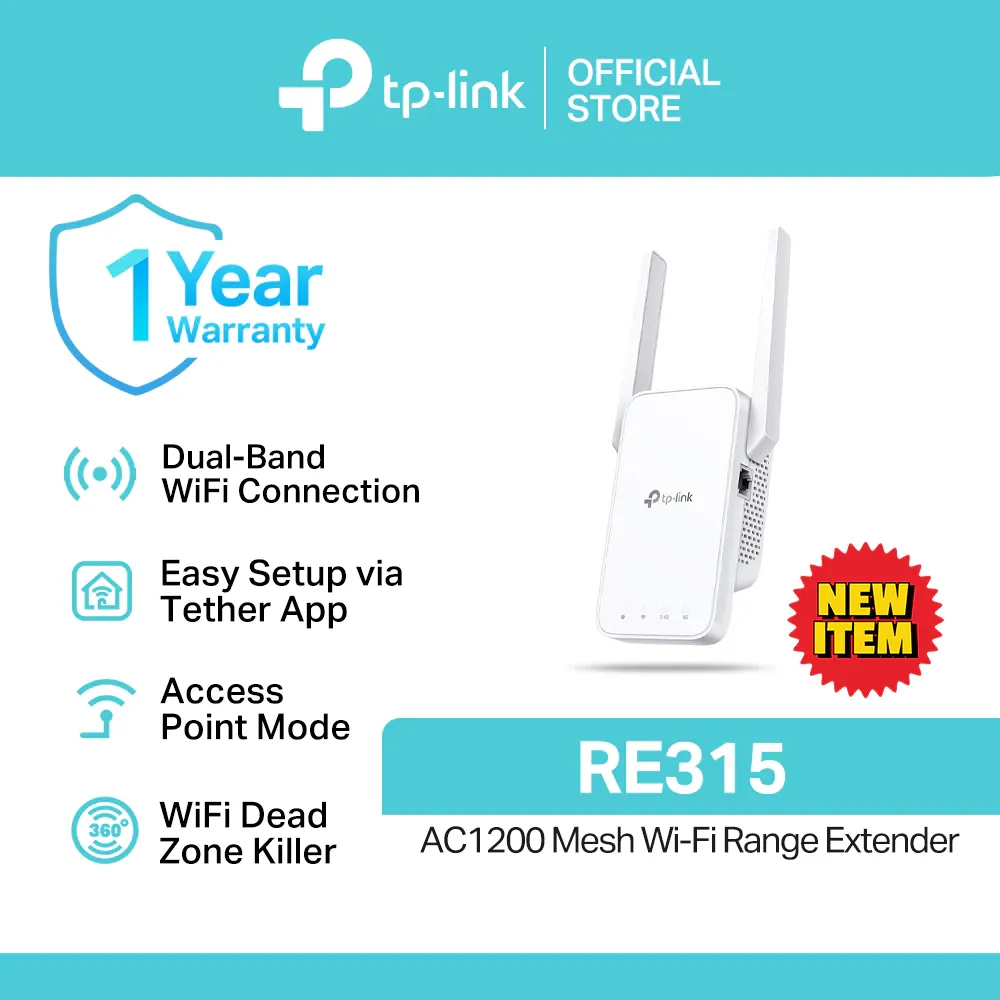
TP-Link RE315 AC1200 Mesh Wi-Fi Range Extender
₱1,600as of Aug 23, 2026
COD · Shopee-protected payment

Disclosure: Product Choicest is reader-supported. We may earn a commission when you buy through our Shopee links, at no extra cost to you. Read affiliate disclosure.
A dual-band AC1200 extender with OneMesh and EasyMesh at the cheapest point in TP-Link's range, our Best Overall Wi-Fi extender at around ₱1,600, held back only by a 100Mbps Ethernet port.
₱1,600as of Aug 23, 2026
COD · Shopee-protected payment
| Brand | TP-Link |
|---|---|
| Type | Wi-Fi range extender |
| Price | ₱1,600 (as of Aug 23, 2026) |
| Owner rating | 4.9 ★ from 1,425 reviews |
| Shop | TP-Link PH |
| Units sold | 4K+ |
Specs per TP-Link.
| Type | Wi-Fi range extender |
|---|---|
| Wi-Fi standard | Wi-Fi 5 (802.11ac), dual band |
| Speed | Up to 1200Mbps (867Mbps on 5GHz, 300Mbps on 2.4GHz) |
| Port | 1 x 10/100Mbps Ethernet |
| Antennas | 2 external |
| Coverage | Up to 1,500 sq ft and 25 devices |
| Mesh | OneMesh and EasyMesh |
The TP-Link RE315 is our Best Overall Wi-Fi extender: a dual-band AC1200 wall-plug unit with OneMesh and EasyMesh support, at around ₱1,600. It is the cheapest way to get proper mesh roaming instead of a second Wi-Fi name.
Most cheap extenders create a second network, usually your name with “_EXT” on the end. You have to switch to it by hand, and your phone clings to the weak original signal until you do. That is the single most annoying thing about living with an extender.
The RE315 solves it, provided your router supports OneMesh (TP-Link’s system) or the industry-standard EasyMesh. Then the extender takes on your router’s Wi-Fi name, and your phone hands over automatically as you walk from the sala to the back bedroom. One network, no switching.
It is also properly dual band: 867Mbps on 5GHz and 300Mbps on 2.4GHz. That matters because the 2.4GHz-only units in this price range simply cannot carry a 5GHz link to the far room, which is where your fast speeds live.
Two external antennas you can angle toward the dead spot, an access point mode that turns a wired room into a Wi-Fi room, and a rating of about 1,500 sq ft and 25 devices round it out. That is the right size for a condo or a small to mid-sized house.
The Ethernet port runs at 10/100Mbps, not gigabit. If you plan to plug a smart TV, a console, or a PC into the extender and you are on a fiber plan above 100Mbps, that wired device is capped below what your 5GHz Wi-Fi can do. It is the one real compromise, and it is why the RE550 exists.
The 867Mbps 5GHz ceiling is also about half what the Wi-Fi 6 units here manage. For streaming, calls, and browsing in a dead corner, it is far more than enough.
Around ₱1,600 as of August 23, 2026. Check the latest price on Shopee. Framed as a rate: if it lasts three years, which is a reasonable life for a wall-plug unit, that is about ₱44 a month to make a dead bedroom usable. Weighed against upgrading your whole internet plan because the back room is slow, it is the cheaper fix by a wide margin.
Buy this if you have one or two rooms with weak Wi-Fi in a condo or a small house, and you want a single network name rather than juggling two. It is the default recommendation here. Skip it if you need full gigabit on a wired device, or if the problem is your whole house rather than a corner. See how it ranks in our best Wi-Fi extenders in the Philippines roundup, or read our Wi-Fi extender buying guide first.
Need a gigabit port and more reach? The TP-Link RE550 adds a third antenna and covers about 2,800 sq ft. On a tight budget and only fixing one corner? The Xiaomi N300 does the basics for far less. More on the Home Improvement page.
See how it compares with the other top picks in our Wi-Fi extenders comparison.
With a OneMesh or EasyMesh router, the RE315 shares your router's Wi-Fi name instead of creating a second one. Your phone hands over between them as you walk around, so you stop seeing a "_EXT" network you have to switch to manually.
Yes, as a plain extender it works with any router. You only get the single-network roaming if your router supports OneMesh or EasyMesh, which most ISP-issued modems in the Philippines do not.
No. An extender rebroadcasts the signal it receives, so it cannot exceed your plan and usually delivers less than your router does up close. What it fixes is coverage, not raw speed.
Roughly halfway between your router and the dead spot, in a socket where the RE315 still shows a good link to the router. Plugging it into the dead spot itself just rebroadcasts a weak signal.
Around ₱1,600 as of August 23, 2026, though you should always check the current price.
Every card links to our full review.